
Photo Enhancer
Sharper, brighter, higher-resolution listing photos in one click — and straight walls. Your first three enhancements are free, no card.
2× or 4× real upscalingStraighten tilted wallsNothing added, nothing removedFree AB 723 label generator →
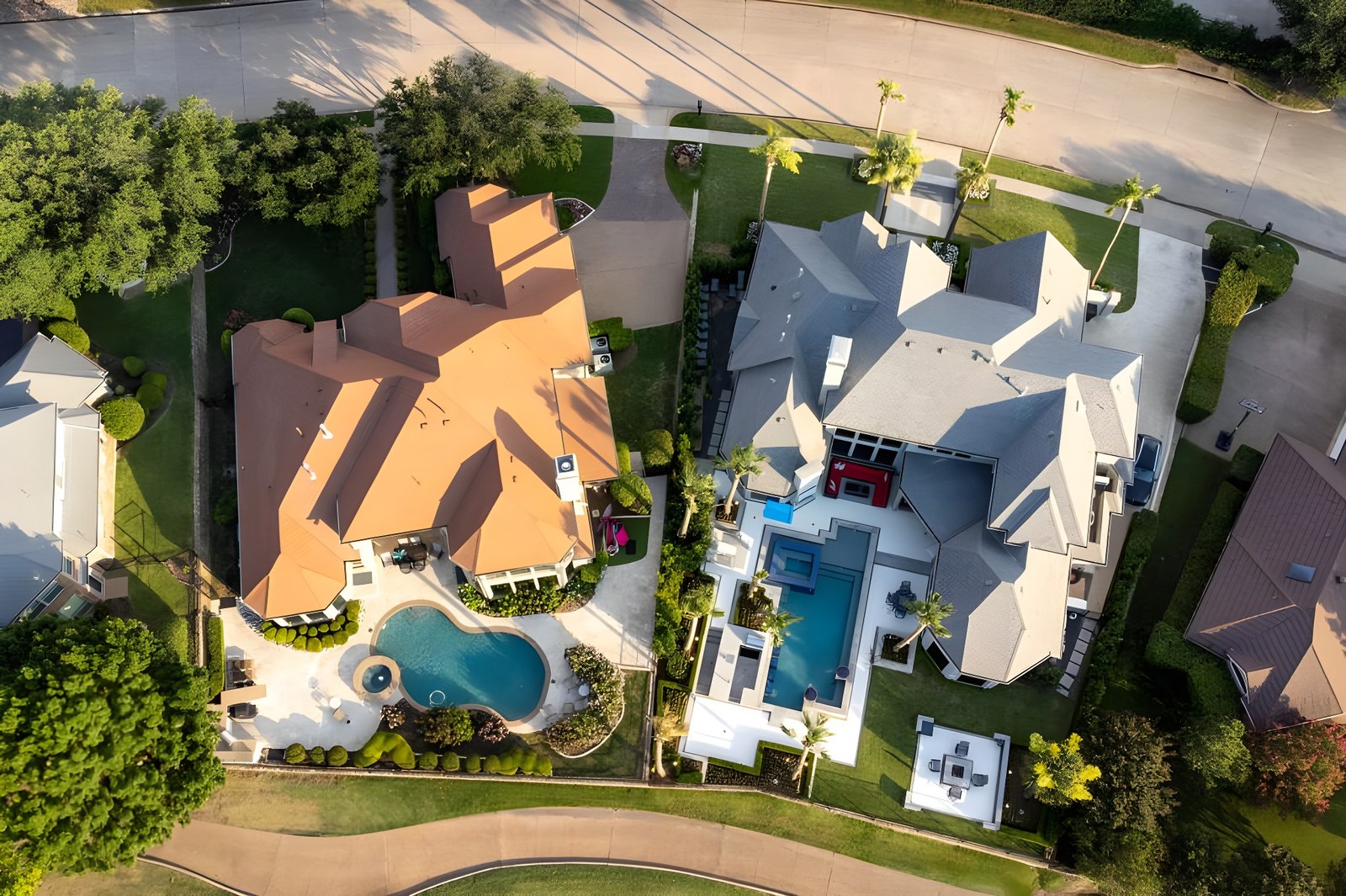

Drag to compare. A real drone photo as it arrived (1024 px, compressed) vs. the actual output of this tool, shown at 160 %.
Upload & Settings
Enhancement Settings
Preview & Download
What the AI Photo Enhancer actually does
Real upscaling and restoration for real estate listing photos — not a filter.
Most listing photos are damaged before a buyer ever sees them. The camera or phone compresses them, the MLS downsizes them to 1024 or 1280 pixels, and every portal re-compresses them again. The result is soft edges, blocky shadows and mushy textures on exactly the details buyers look at — window frames, kitchen surfaces, roof lines, tile.
The Photo Enhancer runs each photo through a Real-ESRGAN super-resolution model on our own servers. The model has learned what real-world surfaces look like, so instead of simply stretching pixels it reconstructs the detail that compression removed and outputs the photo at two to four times the resolution: a 1024-pixel MLS download becomes a 2048- or 4096-pixel file that prints cleanly, fills a large monitor and survives another round of portal compression.
Everything else — cropping, exposure, contrast, colour, light noise reduction and export format — happens in your browser, instantly, and the settings you choose are applied to the exported file.
Drop in your photos
JPG, PNG, WebP, AVIF or HEIC, up to 25 MB each, one photo or a whole listing at once. Nothing is uploaded until you click Enhance.
Click Auto Enhance
Balanced settings that work for interiors, exteriors and drone shots. The result comes back in 5–40 seconds depending on size. Use Enhance all for a full listing.
Check the detail, then download
The Detail at 100 % panel shows the real pixels side by side. Export as JPEG, PNG or WebP at the quality you choose — MLS-ready.
Is AI enhancement allowed on the MLS?
Yes — as long as the photo still shows the property truthfully. Here is the line, in plain terms.
Sharpen, clean, brighten, enlarge
Resolution, sharpness, noise reduction, exposure, contrast, white balance and colour are ordinary photo editing, the same adjustments any photographer makes before delivery. The enhancer does not add, remove or move anything in the picture. What was there is still there, only clearer.
No invented features, no hidden defects
MLS rules, NAR’s Code of Ethics and fair-housing law prohibit photos that misrepresent the property: removing power lines or a neighbouring building, painting in a lawn, hiding damage, or adding a view. Virtual staging must be disclosed. This tool has no such features by design, so an enhanced photo needs no disclosure beyond your MLS’s normal policy.
Rules vary slightly by MLS board. If yours has a written photo policy, it will typically list retouching that alters the property; standard corrections are not restricted. This is general information, not legal advice.
Who uses it
Agents, teams and photographers who want listing photos to look as good on Zillow as they did on the camera.
Agents with phone photos
Turn a quick walkthrough shot into something you can put on a listing without embarrassment — sharper, brighter, larger.
Agents re-using MLS downloads
Old listings, relocated sellers, a photographer who has moved on: rebuild usable full-size files from the 1024-px copies you still have.
Photographers and teams
Batch-enhance a whole shoot, export in the client’s format, and deliver the same day. Studio plans add white-label output.
Pricing, briefly
Usage is only counted when you download a result. Previews and edits are always free.
Free
$0
- 3 enhancement downloads a month (watermarked)
- Previews and edits are always free
- No credit card
Solo
$49/mo
- 100 enhancements a month, no watermark
- 100 Realistic 3D tour renders
- All export formats
Per listing
$19
- 40 enhancements for one address
- 4 HD reels and 20 Realistic 3D renders
- One-time, valid 30 days
Pro ($99/mo) includes 500 enhancements and 400 Realistic 3D renders a month. Compare all plans →
Photo Enhancer FAQ
Why does the preview look almost the same before and after?
The two preview panels shrink both images to fit the page, so a 2× or 4× upscale looks similar at that size. The Detail at 100 % panel underneath shows the same spot at real pixel size — click anywhere on the Before photo to move it. The exported file is the full-resolution result.
What resolution do I get?
Two, three or four times the original, up to a 3500-pixel input (larger photos are resized first). A typical 1024-px MLS photo becomes 2048 px at 2× or 4096 px at 4×. File size depends on the export quality you choose.
Does it work on clean, high-resolution photos?
It will enlarge them, but a pristine photo has little to repair, so the visible difference is small. The tool earns its keep on compressed, downsized, noisy or slightly soft images — which is most listing photos in circulation.
Where are my photos processed and how long are they kept?
Cropping and colour edits stay in your browser. For AI enhancement, the photo is sent over an encrypted connection to our processing server, enhanced, returned, and deleted; we do not keep a copy. See the Privacy Policy for details.
Can I enhance a whole listing at once?
Yes. Drop all the photos in, click Enhance all, then use Download all to save every enhanced photo in one zip file — in the export format and quality you chose.
Try it on one of your own photos
Your first three enhancements are free — no credit card.