
How to Automate Listing Promotion Without Delays
A listing goes live on a Thursday morning. By Friday, it should already have an MLS presence, a property video, social posts, email exposure, and a clear call to action. That is the real reason to learn how to automate listing promotion. It is not about posting more for the sake of it. It is about making every new listing market-ready without turning each launch into a two-day production project.
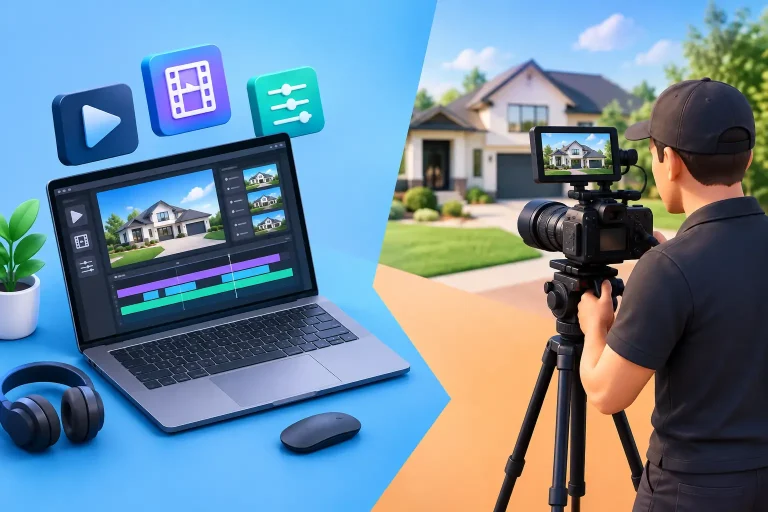
For most agents, the bottleneck is not knowing where to promote a listing. It is getting the assets ready. A videographer needs to be booked. Photos need to be exported. Copy has to be written. Vertical video gets forgotten until someone asks for a Reel. Automation fixes that operational gap by turning the materials you already have into a repeatable promotion system.
Start With One Complete Listing Intake
Promotion can only move as fast as your listing information. Before you automate posts, emails, or video delivery, make sure every property enters your workflow with the same core materials: listing address, price, beds and baths, square footage, remarks, agent contact details, high-resolution photos, and any required brokerage information.
This sounds basic, but incomplete listing data creates most last-minute marketing delays. If the price is still changing or the photos are not final, do not trigger your public campaign yet. Build a clear internal status such as “marketing ready” that means the information has been checked and the assets are approved.
Your intake should also identify which details belong in public-facing content and which do not. A good system avoids pulling unverified claims into captions, voiceovers, or ads. Automation is fast, but it should not turn draft information into a public mistake.
Build Assets Once, Then Create Multiple Versions
The most efficient listing promotion system does not make a separate piece of content for every channel. It starts with one approved set of photos and listing facts, then produces channel-ready versions from that source.
Property video is the clearest example. The same listing photos can become a polished 1080p video with camera motion, music, captions, agent branding, contact information, and a narrated description. From there, you need two practical formats: a 16:9 landscape version for YouTube, websites, and certain MLS uses, plus a 9:16 vertical version for Instagram Reels, TikTok, and YouTube Shorts.
That format split matters. A horizontal video dropped into a vertical feed looks like an afterthought. A vertical video uploaded where an MLS-safe, unbranded asset is required can create a compliance problem. Automate the creation of both versions at the same time, not as separate requests after the listing is live.
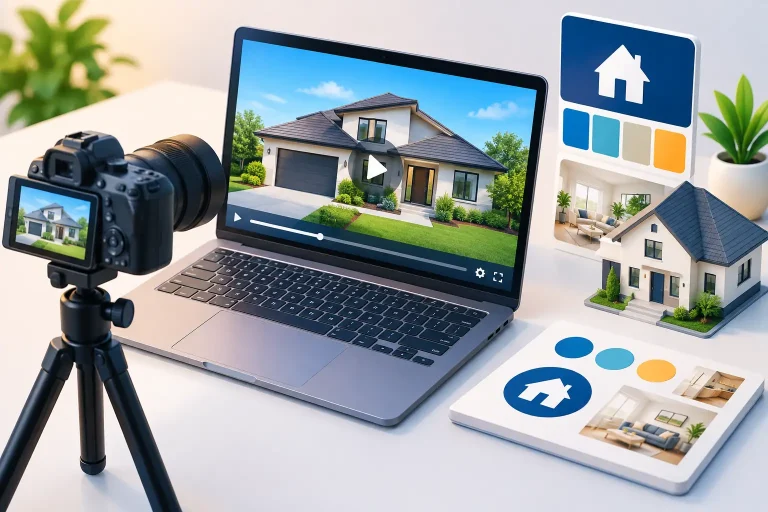
Visual Property Agent follows this approach by turning a listing link or uploaded photos into branded and MLS-safe property video versions without filming or editing software. The agent can review and edit every spoken line before the video is rendered, which keeps automation from sounding generic or making claims the agent would not make.
How to Automate Listing Promotion in a Practical Sequence
The order of your automation matters. You want public marketing to support the listing launch, not get ahead of it. A simple sequence keeps the message accurate and gives each asset a job.
1. Trigger production when photos are approved
Once the final listing photos and property details are available, trigger video creation and copy preparation. Do this before the property is widely announced. If video production begins only after the MLS listing is live, you are already behind the first burst of buyer attention.
Use the approved remarks to create a short property description, then review it. Tighten any language that feels inflated. A 1930s bungalow does not need to be called “timeless luxury” if its real advantage is a renovated kitchen, walkable location, and large backyard. Specific details sell better than stock phrases.
2. Create an MLS-safe version first
Your MLS listing is often the source other sites use to populate property information. Treat it as the factual foundation. If your market allows virtual tours or video links, use the version that meets MLS rules. That commonly means no agent branding, no contact details, no logo, and no prompts directing viewers elsewhere.
Requirements vary by MLS, so confirm local rules before publishing. The automation should give you a clean version by default when you need one, but the agent or team still owns compliance. A fast workflow is only useful if it protects your listing from an avoidable violation.
3. Schedule branded social video around launch day
Your branded vertical video has a different job. It creates recognition, gives sellers visible proof of your marketing effort, and keeps your social channels active with real inventory.
Schedule the first post for the listing launch or the next available high-attention window. Then plan follow-up posts that show different angles of the property: the kitchen and entertaining space, the primary suite, outdoor living, or the neighborhood benefit. You do not need four separate video shoots. You need a system that lets one approved video asset support multiple short promotions.
Do not publish identical copy every time. The address and core facts can remain consistent, but tailor the opening line to the post. A new listing announcement is different from an open house reminder or a price improvement update.
4. Add email without creating another production task
Email works best when it is treated as part of the listing launch, not a separate campaign someone has to assemble from scratch. Use the property video, a strong hero image, three or four verified highlights, and a direct next step such as scheduling a showing or viewing the full listing.
For a buyer database, send only listings that fit the audience you have permission to contact. For a sphere or seller-focused list, frame the email around your local activity and marketing standard rather than assuming every recipient is ready to buy. The goal is to make the listing visible while reinforcing that your business has momentum.
5. Create status-based follow-ups
A listing should not disappear after its first week. Automate prompts tied to real status changes: an open house, a price adjustment, a pending status, or a recently sold result. Each event gives you a valid reason to bring the property back into the conversation.
The trade-off is frequency. Reposting the same listing every day can make your feed feel repetitive, especially in a smaller market. Let the property’s activity guide the cadence. A high-interest listing with an upcoming open house deserves another push. A quiet listing may need a new angle, better photos, or a pricing conversation before more promotion will help.
Keep Human Review Where It Protects Your Reputation
Automation should remove repetitive production work, not remove judgment. Review the elements that can affect compliance, accuracy, and brand quality: the property facts, the voiceover script, fair housing language, branding, and the destination of every call to action.
Be particularly careful with language about schools, neighborhood demographics, safety, or who a home is “perfect for.” Keep descriptions focused on the property and objective location features. “Near parks and commuter routes” is useful. Statements that imply who should live in a neighborhood are not.
You should also have a simple approval rule for photo quality. Automated video can preserve and elevate strong listing photography, but it cannot make dark, crooked, or incomplete images look like a professional shoot. If the photos are weak, solve that problem before distributing the listing at scale.
Measure the Workflow, Not Just the Views
Views are easy to see and easy to overvalue. A better question is whether your automated system gets every listing marketed quickly and consistently. Track the time from photo approval to first published video, the percentage of listings that receive both branded and MLS-safe assets, social engagement, email clicks, inquiries, showings, and seller feedback.
For teams, consistency is a major gain. When every agent follows the same intake and approval process, every seller receives a comparable level of presentation. That helps newer agents market professionally without becoming video editors, while high-volume agents avoid paying videographer-level costs for every routine listing.
If a campaign performs poorly, diagnose the right part of the system. Low video views may point to a weak opening frame or distribution timing. Good views with no inquiries may point to price, property appeal, or the next step you are asking viewers to take. Automation gives you repeatability, which makes those patterns easier to spot.
The best listing promotion workflow is quiet in the background. Photos are approved, the script is reviewed, landscape and vertical videos are ready, the MLS-safe version is available, and the first posts are scheduled before the listing loses its launch window. That gives you more than a content calendar. It gives every seller a visible reason to believe their listing will not be treated like just another address.